
HELP
How to ask Maggie for help in RunMags
Maggie is the assistant built into RunMags. Ask her how to do something, or about your customers, contracts, billing and publications. When you need a person, she helps you send a support case to the RunMags team.
Maggie replaces the support chat bubble that the old help described.
Checked against the product on
Before you start
- You need to be signed in to RunMags. (On runmags.com, a separate Maggie button answers general questions about RunMags.)
- Maggie works with the rights of your user. If you cannot see a customer or an issue in RunMags, she cannot show it to you either.
Steps
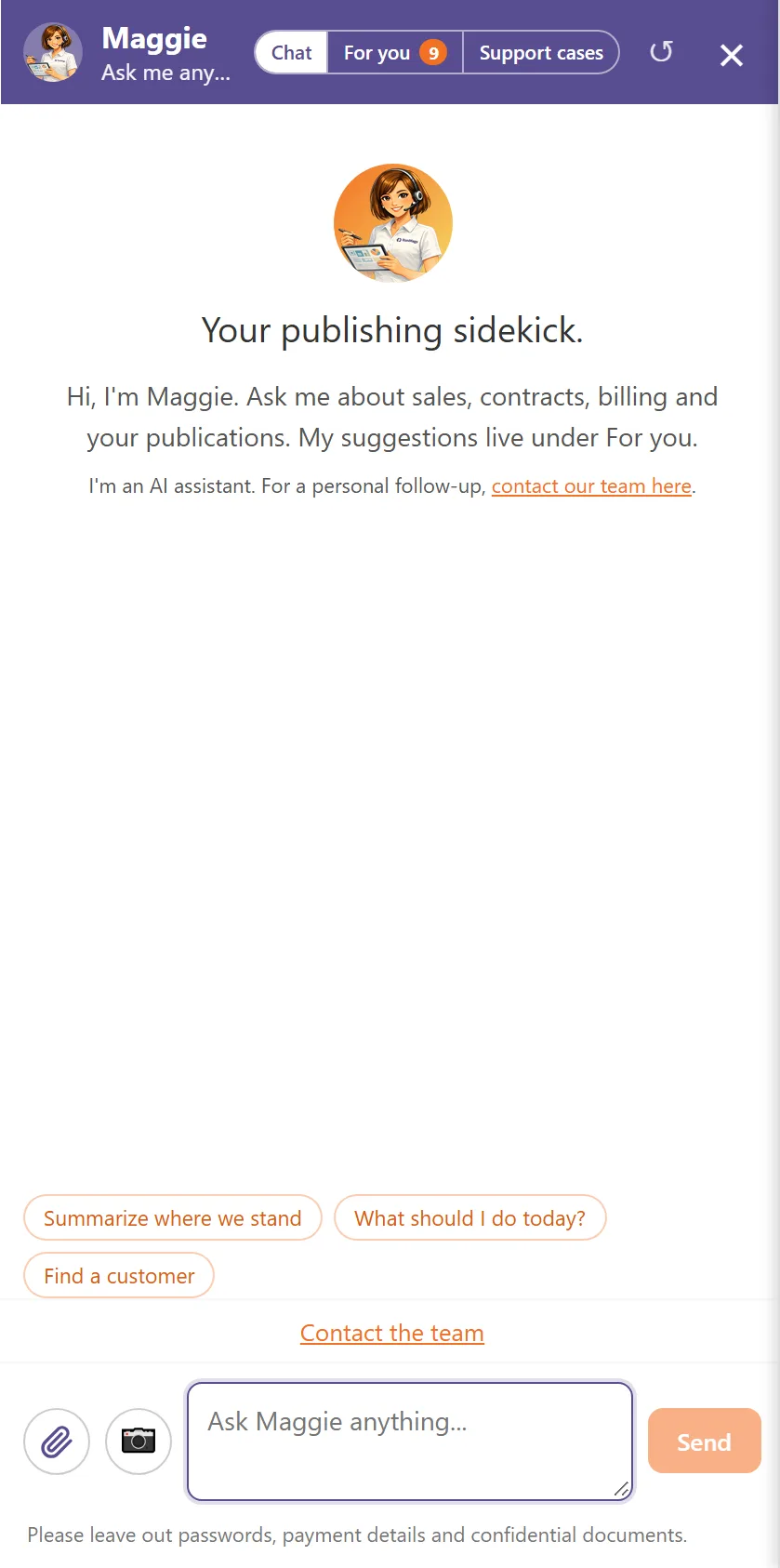
- Click Maggie in the bar at the top of the screen.A panel opens on the right with the tabs Chat, For you and Support cases.
- On Chat, type your question in the box Ask Maggie anything..., or click one of the suggestions above it.
- Press Enter or click Send. Maggie answers in the panel.Shift+Enter adds a new line.
- To ask about the screen you are on, click ? next to Maggie.
- To show Maggie a problem, click the camera button (Screenshot of this page) or the paperclip (Attach files).
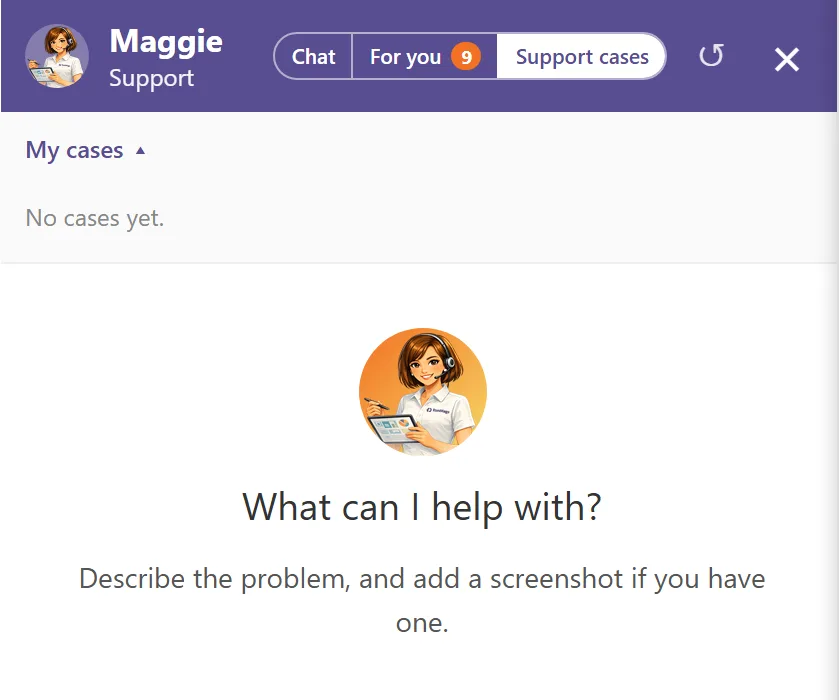
- To reach a person, open the Support cases tab, describe the problem in Describe the problem... and click Send.Maggie prepares a case. Check the subject and the description, then click Send to support.
- To read the answers from the RunMags team, open Support cases and look under My cases.
What you see
- A number next to For you says how many new suggestions are waiting. The arrow (Start over) clears the conversation, and × closes the panel.
- The suggestions on Chat depend on the screen you are on.
- Under the box: Please leave out passwords, payment details and confidential documents.
- Support cases shows My cases (No cases yet. when you have none) and the box Describe the problem....
Good to know
- The Support button at the bottom left of the screen opens the same panel on Support cases.
- Contact the team under the suggestions opens the Support tickets page in a new tab.
- You can add up to five screenshots or files to a support case, at most 10 MB each.
What it does not do
- Maggie does not change anything without your approval. A change she proposes appears as a card that you approve or decline.
- The suggestions on For you are advice only. Nothing is sent, booked or renewed from there.
- She does not send a support case on her own. You check it and click Send to support.
If something goes wrong
- Maggie says she is having trouble connecting. Wait a moment and send your question again.
- Support cases says support cases are not available right now. Email support@runmags.com.
- The panel says your session changed before the case was sent. Nothing was saved, and your text and files are still there. Click Try again.
Learn more
Read the product page: Products. Or go back to all RunMags help.