
Magazine flatplan software
“There is no way a single person could operate a business of my size without it!” Scarlett Redenius, Publisher, Florida Country Magazine: read the case study
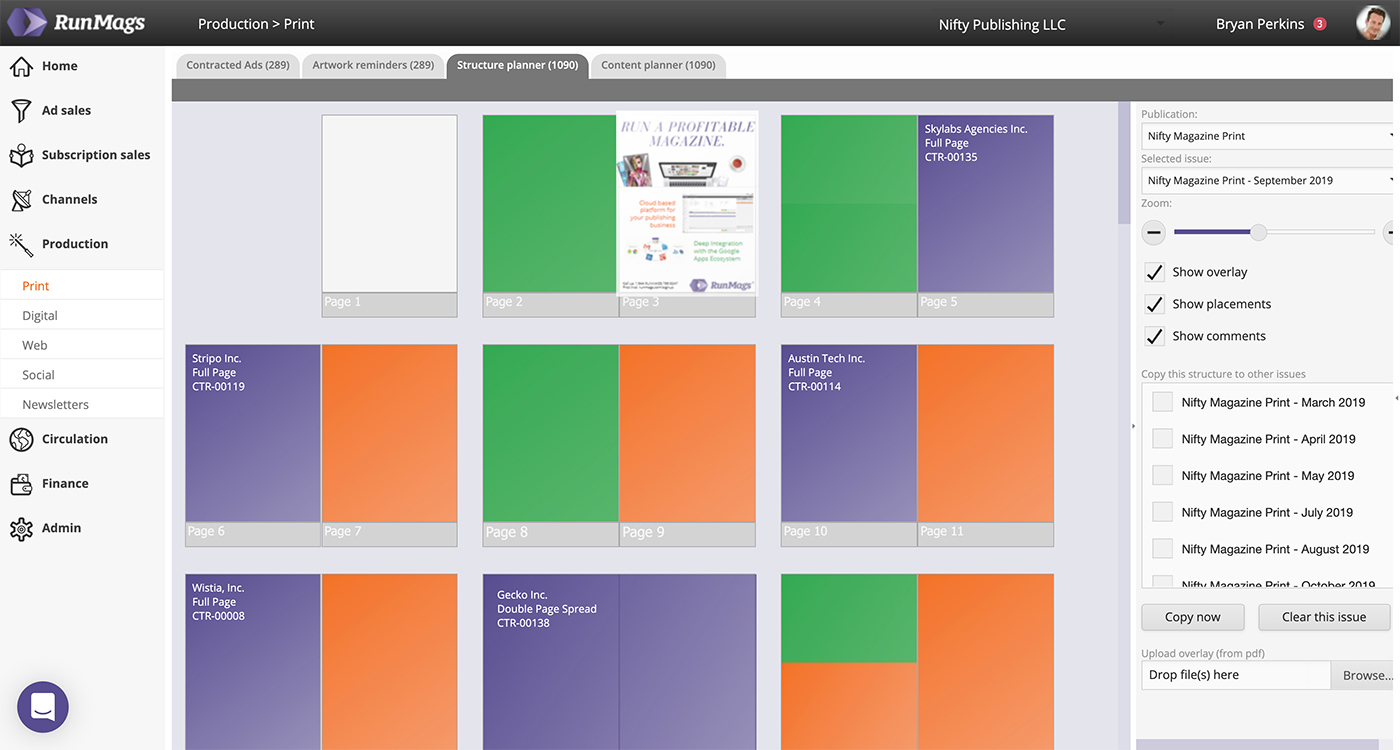
RunMags gives magazine publishers a web-based flatplan for every print issue. Signed ad bookings arrive ready to place, editorial and artwork status are shown on the page, and the finished plan prints to PDF for your production team. Digital issues and website banner campaigns have their own planners.
What is a magazine flatplan?
A magazine flatplan is a page-by-page map of an issue, showing where editorial content and advertising will appear. Use it to review the page budget, agreed ad positions and gaps before the issue goes to production.
From page budget to print handoff: how flatplanning works in RunMags
RunMags covers the issue planning workflow a magazine publisher runs for every print issue, in one shared plan:
- Issue and page budget. Each new issue starts from the publication's default page count. Add or remove spreads, name pages, assign pages to sections and use your own page labels for the covers. When a structure works, copy it to other issues.
- Ad positions from booked orders. Signed advertising orders for the issue appear in a list of unplaced ads, grouped by ad size, with the artwork thumbnail, customer, contract number and account manager. Drag each ad into a space of the matching size on the page, move it later or send it back to the list. Ads are booked through RunMags magazine advertising sales, so the flatplan reflects what has actually been sold.
- Editorial slots. Place editorial spaces on the pages and create a story for each one, or connect an existing one. Give it an owner and an assignee, follow its progress with colour-coded statuses, and keep comments and files with the story.
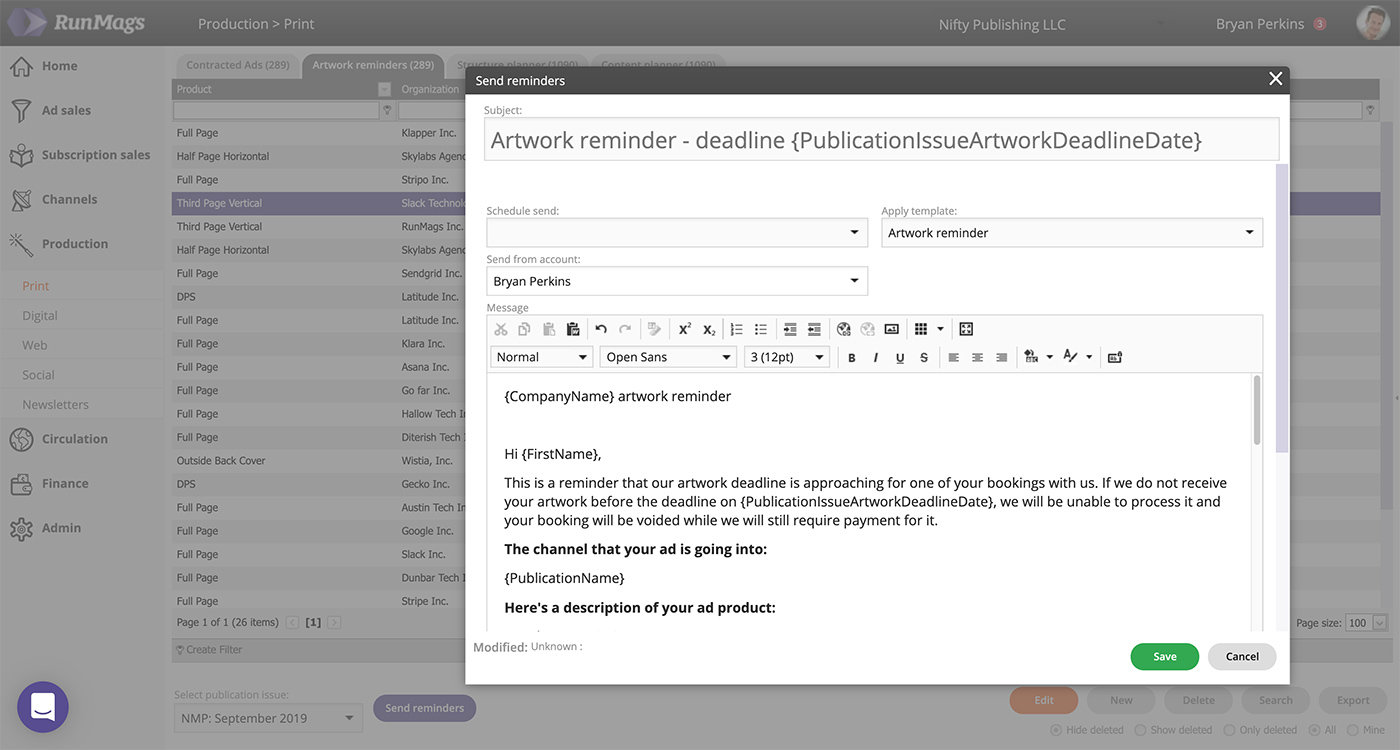
- Missing artwork and material status. Every ad shows where it stands: contract signed, reminders sent, artwork received or placement complete. Your team sends artwork reminders to every advertiser in the issue who has not yet delivered, with the deadline, and RunMags counts the reminders sent.
- Production deadlines. Each issue holds its deadlines for ad bookings, artwork and editorial, and the artwork deadline is included in the reminders. RunMags does not yet build a production task list from these dates, so detailed production tasks stay in the tool your team uses today.
- Export and print handoff. Print the flatplan to PDF in tabloid or A3 format, with up to eight spreads per row. Download all ad artwork for the issue, sorted by advertiser, and all editorial files, sorted by page, as zip files. You can also upload the finished issue PDF and check each page against the plan. RunMags does not send files to your printer directly.
Intuitive and user friendly print production
Managing the pagination of an issue on a computer screen as opposed to a wall set very high demands on usability. The system must be easy to use so that the entire team can use the software correctly, but it also must provide a great overview of the complete issue with all its pages with content and ads. RunMags makes it possible to work on each issue from initial planning stages to final product – always supporting the users so they can create a great magazine that entice the readership.
Drag spreads to change the running order and drag booked ads into place; page numbers update as you go. Changes can be made right up to the handoff, so late ad bookings can still be fitted in. Our help guide shows how to plan a magazine flatplan in RunMags, step by step. Comparing an editorial and InDesign production system such as WoodWing? Read our WoodWing alternative guide. Publishing the finished issue as an app or replica edition with a platform such as Pugpig? Read our Pugpig alternative guide.
Pagination in the Cloud
As RunMags is a true cloud based system, the pagination tool (flatplan) doesn’t require any software downloads. Users can access the system from virtually any computer and device, anywhere in the world. Sales, editorial and production work in the same shared plan, wherever they are.
Production and fulfillment in harmony
RunMags helps you manage artwork for both print and online advertising. Send artwork reminders to the advertisers in an issue who have not yet delivered, and see on each ad in the flatplan whether the material has arrived. Once the artwork has been placed and the magazine has gone to print, billing finishes off the process.
Review your issue before the production handoff
Use this checklist with your sales, editorial and production teams. These are suggested review steps, not automatic checks performed by the software.
- Confirm the page budget. Account for editorial, sold ads and space still available. For a fuller planning process, read how to plan a magazine flatplan.
- Check promised placements. Compare each booked ad with its agreed issue, size and position. Review the contract management and fulfillment workflow when checking commitments.
- Identify missing assets. For each incomplete page, record what is missing, who will supply it and the deadline for the next action. Distinguish an allocated page from one with approved artwork.
- Agree on late changes. Name the person who can approve a move and record any effect on advertiser commitments or editorial space.
- Prepare the billing handoff. Confirm what was delivered and flag any exceptions for finance to review against the agreed billing terms. See billing and payments for the next stage.
Move digital beyond the PDF replica
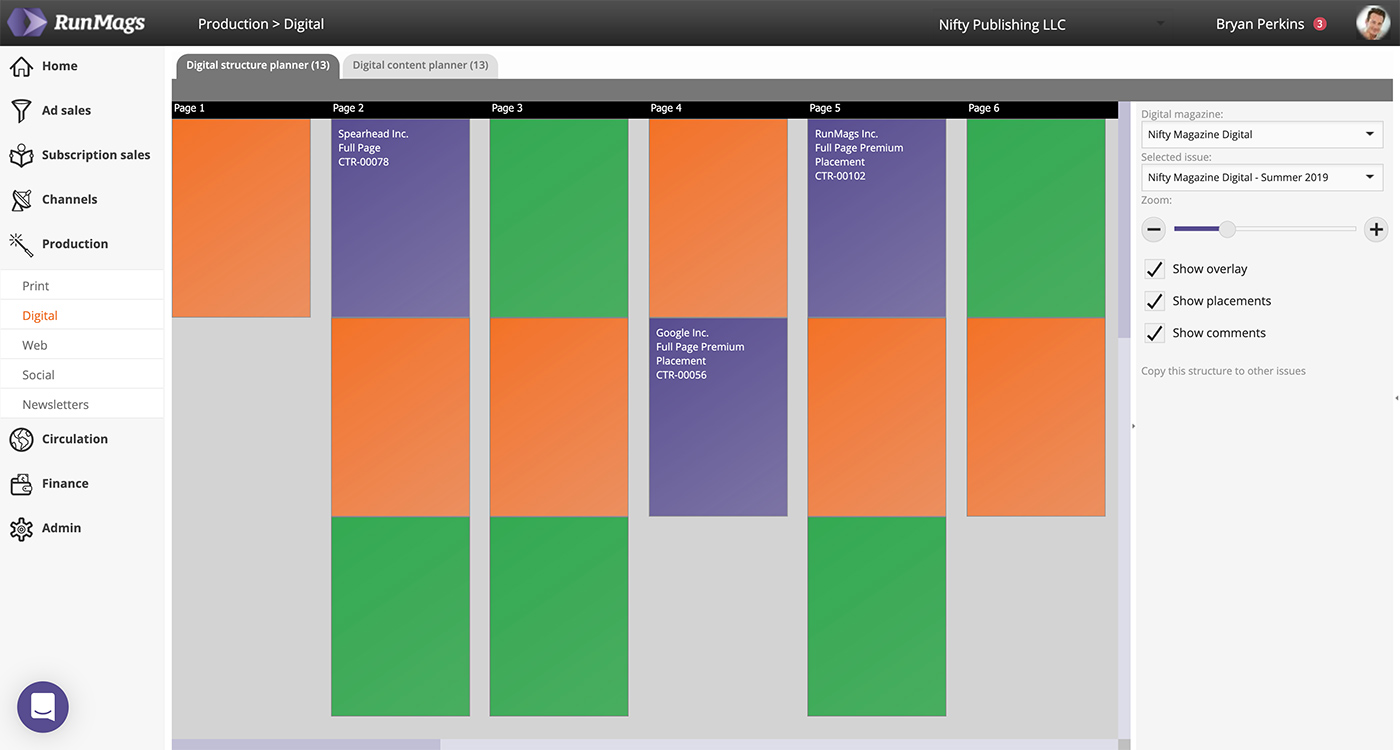
Digital editions are more than a replica of the PDF sent to the printer. When you add digital channels with layouts not restricted by print, plan their pages and ads in the separate digital flatplan in RunMags. It has fewer options than the print flatplan and does not connect to digital edition platforms.
Website banner advertising in calendar swimlanes
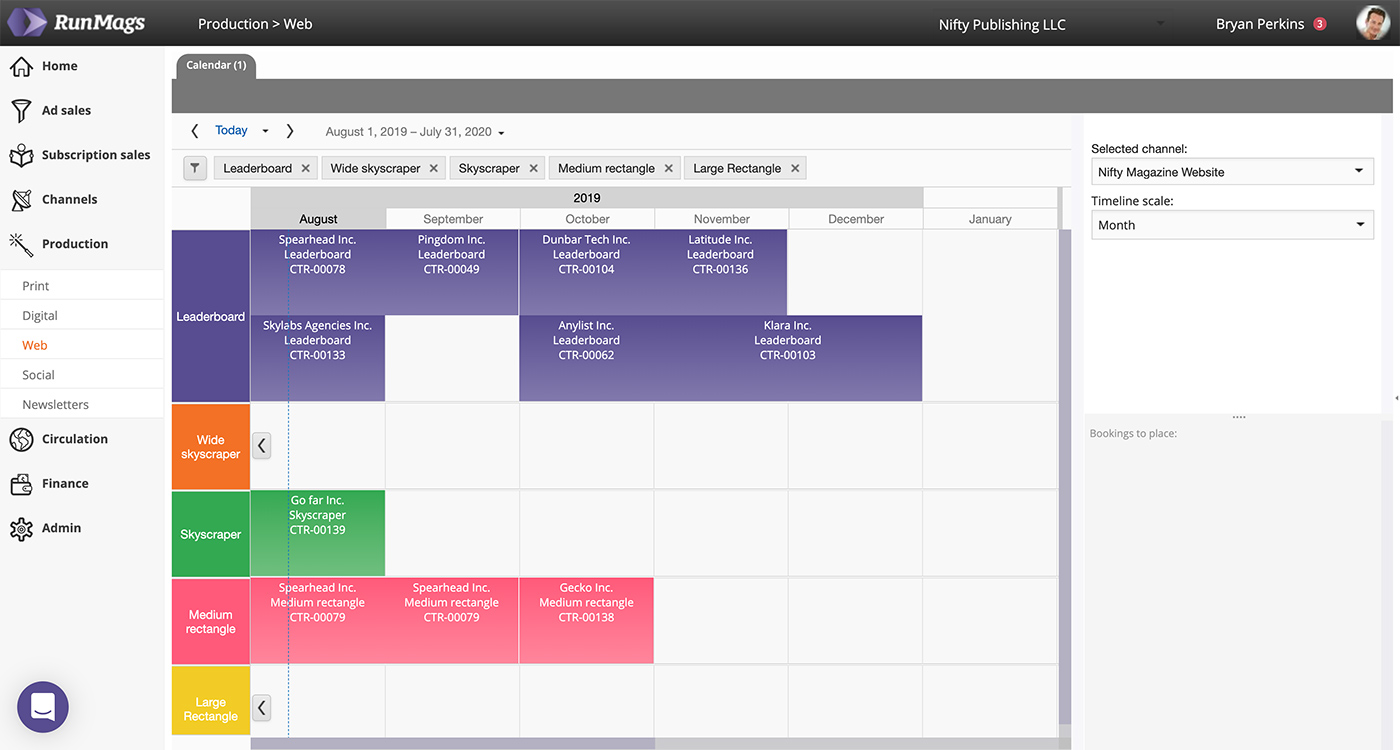
As your banner advertising is delivered in calendar time rather than in issues, you need a scheduling tool to manage fulfillment. In RunMags each website or social product is represented by a swimlane, and signed bookings are placed in time through the contract you have with the client. Drag a booking along its swimlane to reschedule it.
Who RunMags flatplan software is for
- Print magazine publishers whose ad sales, editorial and production teams plan the same issue and need one shared view of every page.
- Teams moving their pagination off a wall chart or spreadsheet who want booked ads and artwork status to appear in the plan without being retyped.
- Publishers who want the flatplan connected to advertisers, subscribers and invoicing in a CRM built for magazine publishers.
Plans start at €399/month excluding VAT, with tiers based on the number of legal entities and magazine brands. See RunMags pricing.
