
HELP
How to email your subscribers in RunMags
Send one message to many subscribers at once, for example an offer or a notice about a change. You choose who gets it by picking saved selections of subscriptions.
The mail goes out from RunMags with your template and sender account. The list of mails shows how many are pending, bounced, opened or clicked.
Checked against the product on
Before you start
- You need Subscription sales in the left-hand menu. If you cannot see it, ask your RunMags administrator.
- You need at least one selection of subscriptions. Selections are made under Subscription sales > Selections.
- Write and proofread the text first. The form has no test-send button.
Steps
- In the left-hand menu, open Subscription sales > Selections, and check that the group you want is on the Subscription selections tab.If it is missing, click New at the bottom right and build the selection.
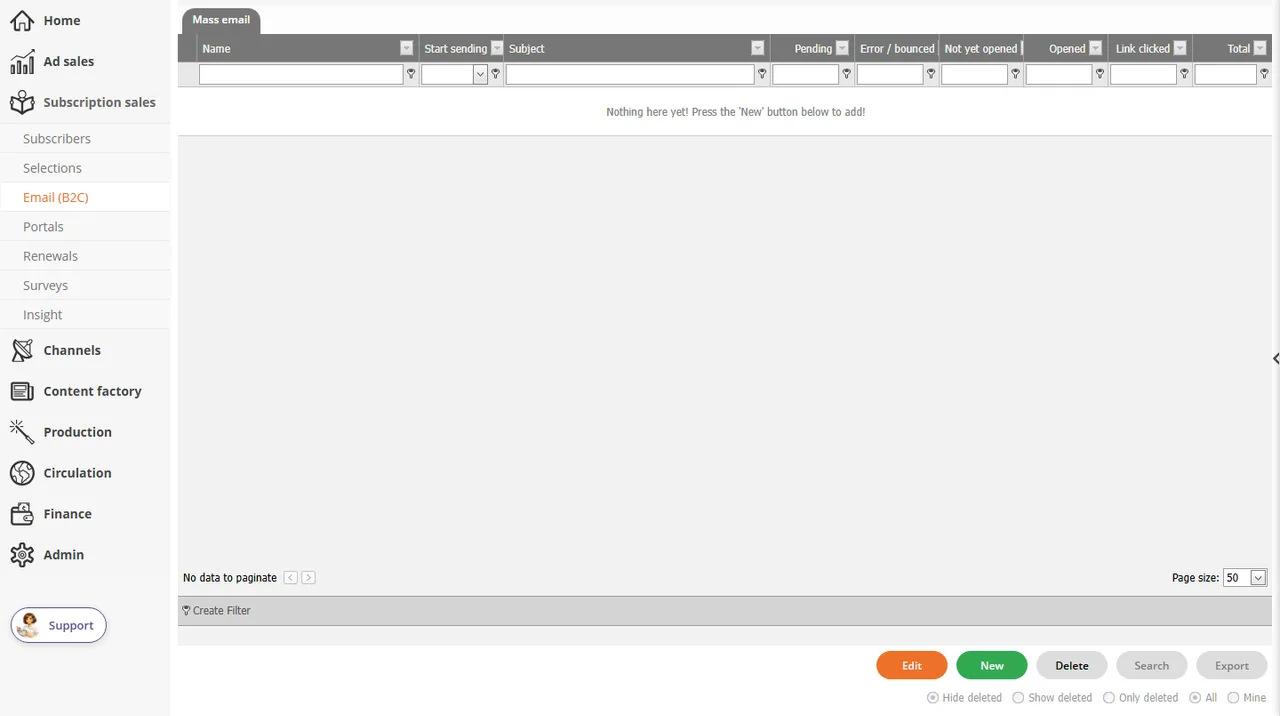
- Open Subscription sales > Email (B2C). The Mass email tab lists the mails you have made.
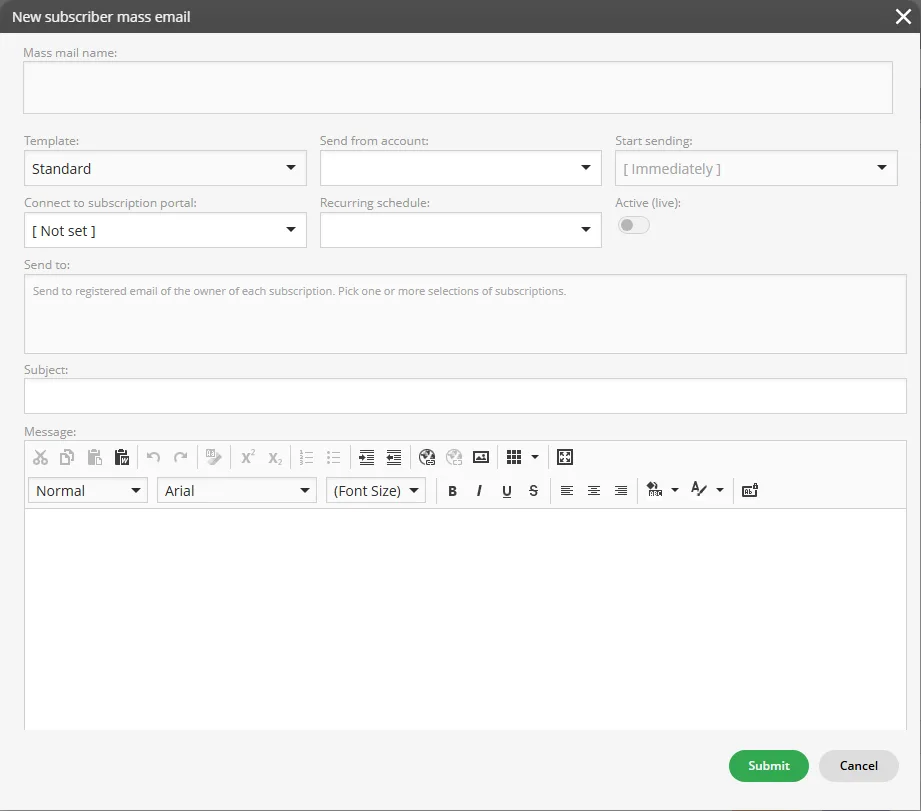
- Click New at the bottom right. The New subscriber mass email window opens.
- Type a Mass mail name, and choose the Template and the Send from account.Under Connect to subscription portal, choose a portal if readers should be able to subscribe or renew from the mail.
- Under Send to, pick one or more selections of subscriptions.
- Type the Subject and write the Message. Use the Preview tab under the editor to check the result.
- Check Start sending (it starts as [ Immediately ]). Switch Active (live) on only when the mail should go out, and click Submit.
What you see
- The Mass email list has one row per mail, with Name, Start sending, Subject, Pending, Error / bounced, Not yet opened, Opened, Link clicked and Total.
- With no mails made yet, the list says Nothing here yet! Press the 'New' button below to add!
Good to know
- The mail goes to the registered email of the owner of each subscription. For a gift subscription, that is the reader, not the person who paid.
- Send to takes selections of subscriptions, not a typed list of addresses.
- With Active (live) on and Start sending at [ Immediately ], Submit is the moment the mail goes out.
What it does not do
- It does not send you a test copy first.
- It does not email advertisers or other contacts. Those mails are under Ad sales > Email (B2B).
- It is not the newsletter tool. See How to sell and send newsletters.
If something goes wrong
- Subscription selections says Nothing here yet! No selection exists yet. Click New at the bottom right and build one before you write the mail.
- Nobody in a selection got the mail. Check that Active (live) was switched on when you clicked Submit, and look at Error / bounced in the Mass email list.
Learn more
Read the product page: Email tools for advertisers and subscribers. Or go back to all RunMags help.