
HELP
How to make the print mailing list for an issue in RunMags
Your mailing house or printer needs the names, addresses and copies for each printed issue. In RunMags this list is a distribution batch: you make one per issue, check it, and export it.
Checked against the product on
Before you start
- You need access to Circulation in the left-hand menu. If you cannot see it, ask your RunMags administrator.
- The issue and its subscription products must exist, and your subscribers must have print subscriptions.
Steps
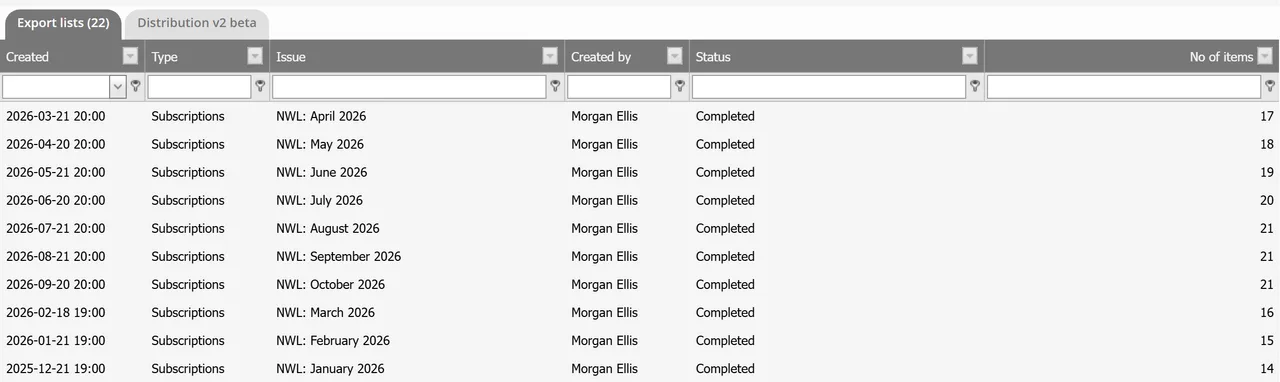
- In the left-hand menu, open Circulation > Export lists.The Export lists tab shows every list made before.
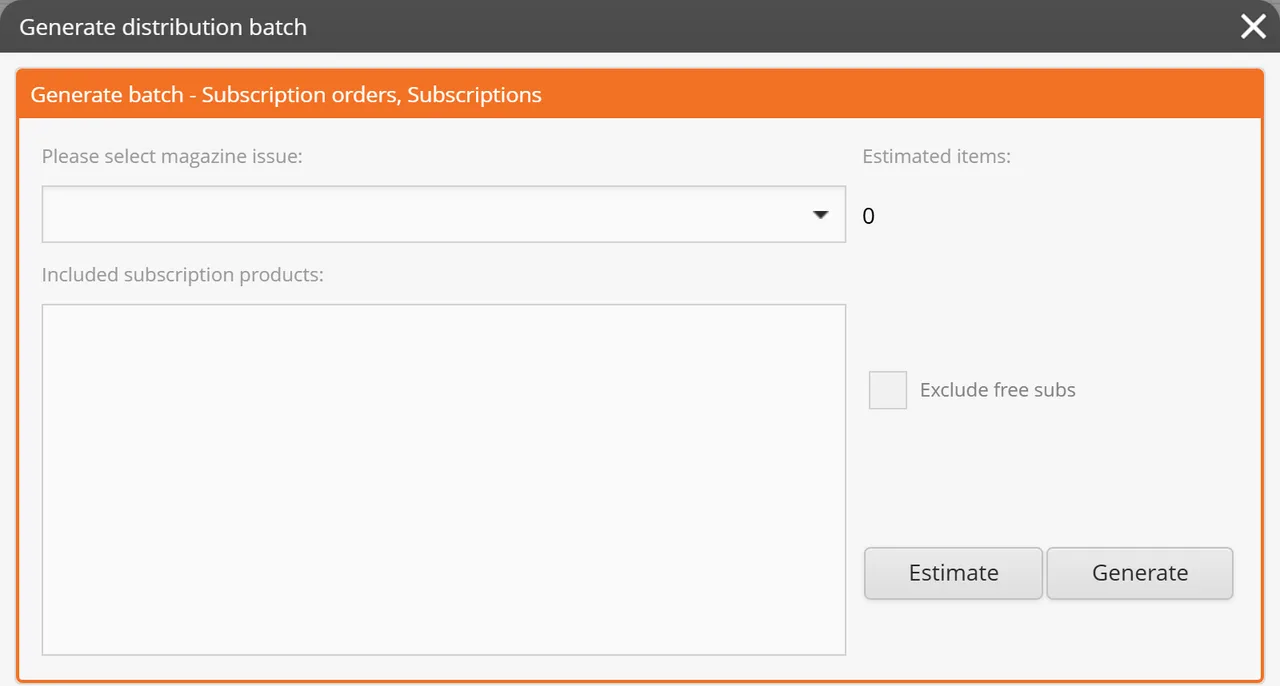
- Click New at the bottom right. The Generate distribution batch window opens.
- In the orange section Generate batch - Subscription orders, Subscriptions, choose the issue under Please select magazine issue.The subscription products of that magazine appear under Included subscription products.
- Tick every product that gets a printed copy.
- Tick Exclude free subs if only paying subscribers should be on the list.
- Click Generate. The list is built in the background, and the window tells you to close it.
- On the Export lists tab, wait until Status says Completed. Select the row and click Edit.
- In Edit distribution batch, check the rows, then click Export to save the file for your mailing house.
What you see
- On Export lists, one row per batch, with Created, Type, Issue, Created by, Status and No of items.
- In Generate distribution batch, three sections: subscriptions, back issues and advertisers. This page uses the first.
- In Edit distribution batch, one row per recipient, with the organisation, name, address lines, city, postal code, country and Subscription info.
Good to know
- A subscription is on the list if it is Active, Ongoing or on a Temporary address, belongs to a product you ticked, and has started by that issue. A subscription paused for that issue is left out.
- RunMags uses the subscriber’s delivery address, or the billing address if there is no delivery address.
- Each subscription appears once per issue. A new batch for the same issue does not add it again.
- Export saves the rows as an Excel file.
What it does not do
- It does not send the list to your mailing house or printer. You export the file and send it yourself.
- It leaves out a subscriber who has no address, without telling you.
- Back issues and advertiser copies are separate batches, made in the other two sections of the same window.
If something goes wrong
- The list of subscription products is empty. Choose the issue first. If it is still empty, the magazine has no subscription products yet. See How to set up products and prices.
- Status does not say Completed. The batch is still being built. Wait, and open Circulation > Export lists again.
- The batch has fewer rows than you have subscribers. Check a missing subscriber: the subscription must be Active, Ongoing or on a Temporary address, its product must be ticked, and the subscriber needs an address.
Learn more
Read the product page: Circulation. Or go back to all RunMags help.